




Why Small Laboratories Struggle With Sample Tracking Without a LIMS System
Manual sample tracking is still surprisingly common in small laboratories. Walk into a third-party testing lab or an early-stage biotech startup, and you’ll often see the same pattern: Excel sheets open everywhere, handwritten sample IDs on tubes, and technicians double-checking labels under time pressure.
It works—until it doesn’t.
Sample identification errors are not just operational noise. In laboratory environments, a single mislabelled tube can invalidate an entire workflow, from extraction to analysis. And once the chain breaks, there is no easy recovery.
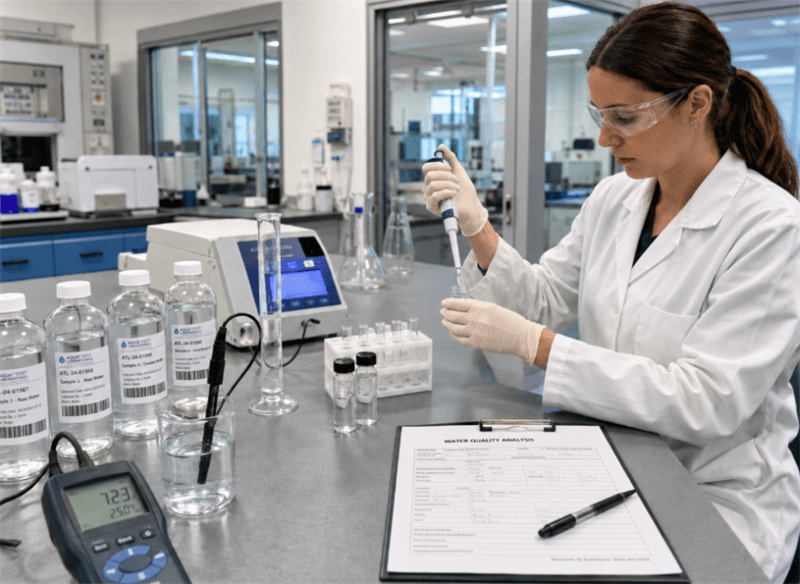
Handwritten labeling is especially fragile in multi-step workflows: sample reception, aliquoting, extraction, centrifugation, and final instrument analysis. Each transfer increases the risk of mismatch between physical sample and recorded identity.
And this is where most labs hit the same wall: full-scale LIMS platforms are powerful—but expensive, complex, and often overkill for small teams.
So the question becomes simple:
How do small testing labs and university research labs build structured sample tracking affordably without a full LIMS?
What Is a LIMS Alternative? A Lightweight Barcode-Based Sample Tracking System Using Excel
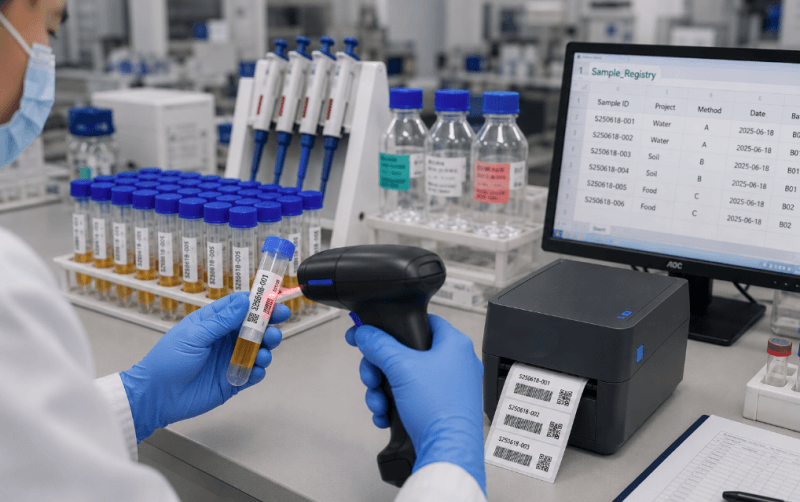
A LIMS manages laboratory samples, records, and workflows across the full sample lifecycle. It centralizes sample registration, tracking, result management, and reporting within a structured database, improving traceability, reducing errors, and supporting auditability and data integrity requirements.
In practice, full LIMS platforms require significant configuration, validation, and ongoing maintenance. Many small laboratories and startups avoid this level of complexity due to the associated costs. Instead, they adopt a lightweight barcode-based sample tracking solution built on Microsoft Excel.
This LIMS alternative follows a simple but structured tracking logic:
- • One sample corresponds to one unique digital identity
- • Each identity is encoded into a scannable barcode or QR code
- • Each scan triggers a single, defined data or workflow action
This model replaces the complexity of a centralized LIMS with a streamlined sample identification workflow. By linking each sample to a unique barcode, laboratories can improve traceability while reducing reliance on handwritten labels and manual data entry.
Key benefits include:
- • Faster sample labeling and transfer
- • Fewer manual transcription errors
- • More consistent sample identification across workflow stages
- • Better traceability from sample registration to instrument entry
- • Lower risk of rework caused by mislabeled or misidentified samples
- • Reduced administrative effort and cognitive load for laboratory staff
These benefits are particularly valuable in laboratories that handle high sample turnover or strict sample identity requirements, such as water quality labs, cannabis testing labs, and and third-party testing facilities.
When technicians no longer need to repeatedly copy, read, and verify sample IDs, they can spend more time on preparation, testing, and quality control rather than routine data handling.
Required Hardware and Software Setup
A lightweight lab sample tracking system typically relies on a small, modular stack:
- •Excel or Google Sheets as the primary data backbone
- •Barcode or QR codes for sample identity binding
- •Barcode label printers for physical label generation
- •Handheld barcode scanners for sample tracking and data interaction
- •Optional scripts, macros, or label software for semi-automated ID generation and batch printing
This setup is increasingly used in small QC laboratories, academic research environments, environmental testing facilities, and early-stage biotech or microbiology workflows where operational simplicity, cost efficiency, and fast deployment matter more than enterprise-level system complexity.
System Overview: How to Track Lab Samples with Excel + Barcode
The system can be understood as a continuous loop between digital records and physical samples.
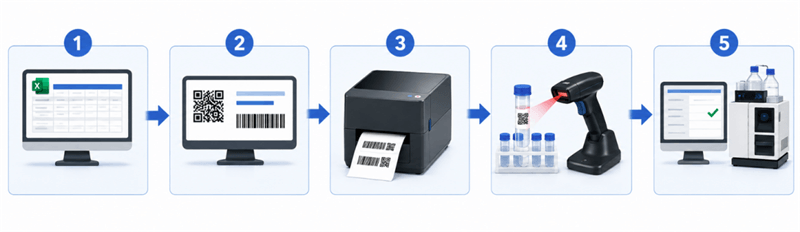
Step 1: Sample registration in Excel
Every sample begins in a structured spreadsheet. Fields typically include Sample ID, Project or customer, Test method, Timestamp, and Batch number.
Excel acts as a lightweight sample registry. Not perfect, but fast and accessible.
Step 2: Automatic generation of sample IDs and barcodes
Once sample data is entered, each record is assigned a unique sample ID. This ID is then encoded into a barcode or QR code, making the sample identity machine-readable instead of dependent on handwriting or manual recognition.
A lightweight script, macro, or labeling software workflow can be used to automate this step. It can read sample data from Excel, generate barcode values, and prepare labels for batch printing without requiring a full LIMS deployment or complex software development.
Step 3: Label printing using barcode printers
Labels are generated and printed using a desktop thermal transfer printer. This step turns digital sample records into physical assets.
A small detail, but critical: label durability matters. In real lab environments—solvents, humidity, centrifugation—thermal transfer printing is far more stable than handwritten ink or basic stickers.
Step 4: Sample transfer tracking using barcode scanning
As samples move through different containers, technicians simply scan the original barcode.
The system retrieves the sample identity instantly, then generates a new label if needed for the next container.
Instead of rewriting labels again and again, identity is “cloned” through scanning. No retyping. No guessing. No handwriting interpretation.
Step 5: Instrument entry via barcode scanning
At the final stage, samples are scanned again before instrument analysis. Data entry shifts from manual typing to automatic field population.
No more “Was it 1028-B or 1082-B?” moments. And honestly—this is where most labs feel the biggest relief.
Recommended Barcode Printers and Scanners for Laboratory Sample Labeling and Tracking
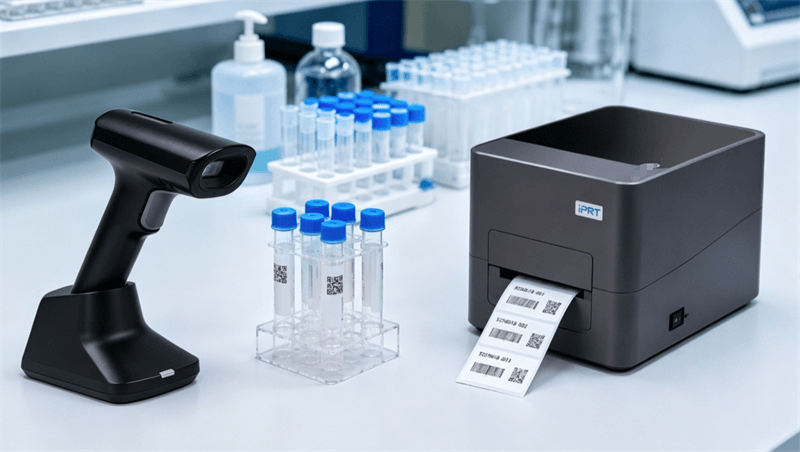
In a lightweight lab sample tracking system, hardware determines whether the workflow remains reliable in daily use. Spreadsheets manage sample data, while barcode printers and scanners connect digital records with physical samples.
iDPRT provides barcode printing and scanning hardware for identification-driven workflows across logistics, retail, warehousing, and laboratory environments.
For lab sample labeling, iDPRT printers and scanners deliver strong compatibility and stable performance, seamlessly integrating with Excel-based semi-automated workflows and label design software.
High-Precision Barcode Printers for Lab Sample Labeling
Lab sample labels must remain readable through chemical exposure, humidity, temperature variation, and repeated handling.
iDPRT thermal transfer barcode printers produce durable, high-contrast labels for tubes, vials, secondary containers, and customer samples, supporting accurate barcode scanning and consistent sample traceability from collection and storage to testing and reporting.
Key advantages include:
- •Thermal transfer printing for long-term label durability
- •High-resolution output up to 300 dpi for accurate barcode scanning
- •Multi-language and multi-system compatibility (Windows, Linux, MacOS)
- •Support for major barcode formats including 1D and 2D codes
- •Stable batch printing capability for high-volume sample workflows
- •Compatibility with standard label design tools (e.g., Bartender)
Recommended Model: iDPRT iE2X 2-inch Thermal Transfer Printer
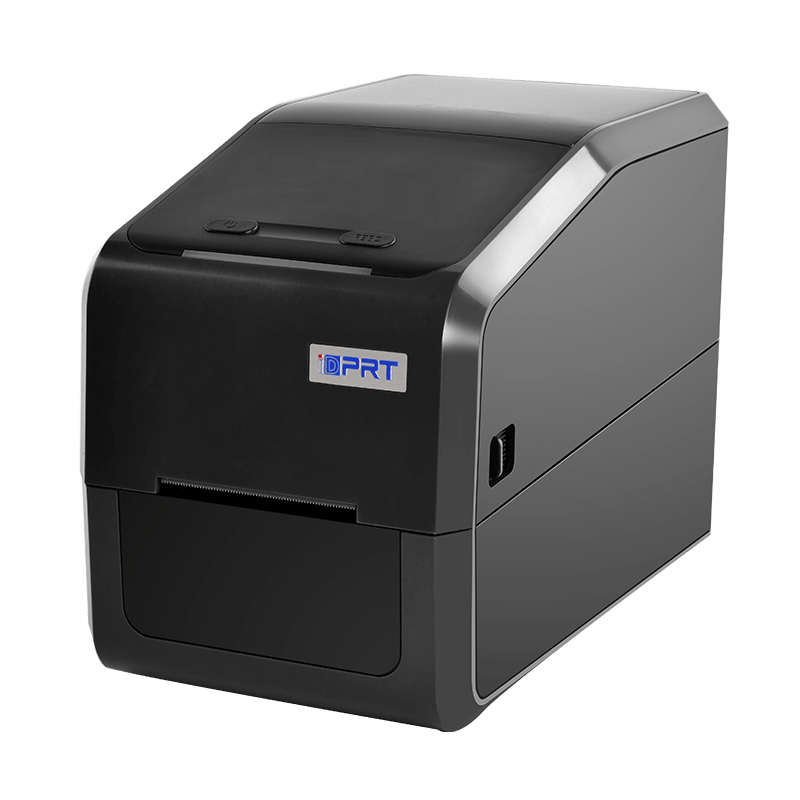
- Resolution: 203dpi, 300dpi
- Print method: Direct Thermal and Transfer Thermal
- Max. print speed: 8 ips @203 dpi, 6 ips @300 dpi
- Max. print width: 2.1"(54 mm) @203 dpi, 2.2"(56.9 mm) @300 dpi
- Memory: 16 MB Flash / 32 MB RAM
The iDPRT iE2X is a compact 2-inch thermal barcode printer that delivers fast printing speeds of up to 8 ips and precise positioning. It is particularly well-suited for barcode labeling on small containers such as test tubes and sample vials.
In addition, it supports a USB Host interface, enabling convenient offline operation. Users can print labels directly without connecting to a computer, significantly improving flexibility for on-site laboratory use.
Best suited for:
- •Tube and vial sample labels
- •Microbiology samples
- •Freeze-dried samples
- •Bacteria stocks
- •Reagent bottles and small containers
- •Small-volume clinical, research, or QC sample labeling
Recommended Model: iDPRT iF4 4-inch Thermal Transfer Barcode Printer
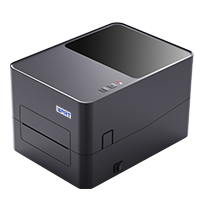
- Resolution: 203dpi, 300dpi
- Print method: Direct Thermal and Transfer Thermal
- Max. print speed: 6 ips @203 dpi, 5 ips @300 dpi
- Max. print width: 4.25"(108 mm) @203 dpi, 4.17"(108 mm) @300 dpi
- Memory: 128 MB Flash / 64 MB RAM
The iDPRT iF4 is a high-performance 4-inch thermal transfer barcode printer supporting label widths from 1 inch to 4.64 inches. Its wider print area provides space for barcodes, sample IDs, batch numbers, dates, test information, and readable text, suitable for high-volume lab labeling workflows such as customer sample batches, environmental testing, food and water testing, secondary containers, and archive labels.
The iF4 also supports optional accessories, including a label peeler, cutter, rotary cutter, and external label roll holder, helping labs improve batch printing efficiency and daily operating convenience.
Best suited for:
- •Customer sample batch labels
- •Environmental testing sample labels
- •Food and water testing workflows
- •Sample bags and secondary containers
- •Storage boxes and archive labels
- •High-throughput QC laboratories
Rugged Handheld Barcode Scanners for Sample Identification and Workflow Data Entry
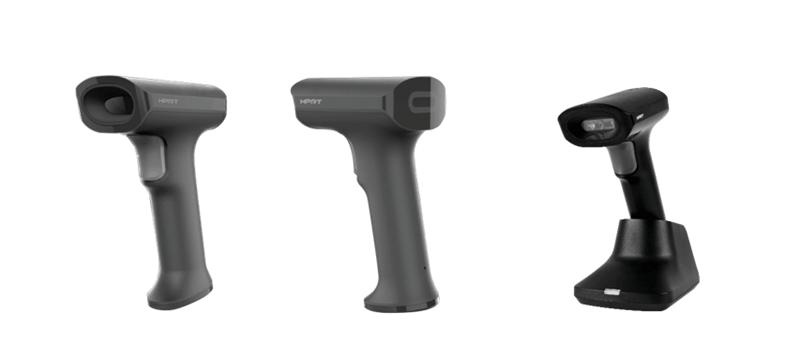
In a barcode-based laboratory tracking system, handheld scanners turn printed labels into usable workflow data.
iDPRT wired and wireless handheld scanners give laboratories flexibility for fixed workstations, mobile sampling areas, storage rooms, and semi-automated labeling stations. With support for mainstream 1D and 2D barcode reading, they help lab staff quickly identify samples, retrieve records, log transfers, and enter sample IDs without manual typing.
For greater workflow flexibility, the barcode scanner and printer can work together with pre-configured label templates to support offline scan-and-print operations. Technicians simply scan a barcode and can immediately print duplicate or transfer labels without recreating the label format each time.
A Barcode-Based Sample Tracking System as a Practical LIMS Alternative
Most laboratories do not start with a LIMS. They evolve toward it.
A barcode-based sample tracking system is often the missing middle layer between handwritten chaos and fully structured informatics platforms.
With a simple stack—Excel, barcode labels, handheld scanners, and reliable thermal transfer printers such as the iDPRT iE2X and iDPRT iF4—even small labs can build structured sample traceability without heavy software investment.
Or to put it simply: You don’t need a full system to stop losing samples. You just need a consistent one.
Call to action
Start building your barcode-based lab tracking workflow with iDPRT printers and scanners. Print durable labels, scan faster, and keep every sample traceable.